Bible Gateway App Review 2026: Features, Pros & Cons
TL;DR
Everything you need to know about the Bible Gateway app. Features, translations, study tools, and whether the Plus subscription is worth it.
Bible Gateway App: Full Review and How to Use It
Looking for a Bible gateway app with real study tools? You've come to the right place. Bible Gateway has helped people read Scripture online for over 25 years. Their mobile app puts that same power in your pocket.
In this review, we'll cover what the app offers. We'll look at translations, study tools, and pricing. By the end, you'll know if it's the right fit for you.

What Is Bible Gateway?
Bible Gateway launched in 1993. It was one of the first sites to put the Bible online. Today it's one of the biggest Bible resources out there.
Here's what it offers:
- 200+ Bible versions in 70+ languages
- Strong search tools
- Audio Bibles you can listen to anywhere
- Study tools like commentaries and dictionaries
- Reading plans to guide your journey
The app brings all of this to your phone. You can do a deep Bible study at home. Or read a quick passage on the bus. It works either way.
Key Features of the Bible Gateway App
Tons of Bible Translations
This is Bible Gateway's biggest strength. With 200+ versions, you'll find almost any translation you want:
- Popular English versions: NIV, ESV, KJV, NLT, NASB, CSB, NKJV
- Study Bibles: NIV Study Bible, ESV Study Bible, Life Application
- Other languages: Spanish, French, German, Chinese, and 65+ more
- Historic versions: Geneva Bible, Wycliffe, Tyndale
Why does this matter? Different translations have different strengths. The ESV is very literal. It sticks close to the original Greek and Hebrew. The NLT reads more smoothly. It's great for new readers or devotional time. The KJV has beautiful, classic language. The NASB is another strong word-for-word choice.
Having all of these in one app is a huge time saver. No need to own five different Bibles. Just switch versions with a tap. You can even find translations in languages you're learning.
Want help picking a version? Check out our NIV vs NLT comparison.
Side-by-Side Bible Viewing
You can view up to five translations at once. This helps you:
- Understand tricky passages
- Compare word choices
- See how versions handle the same verse
- Spot key differences in meaning
Just pick your translations. Bible Gateway lines them up in columns. You can read the poetic KJV next to the clear NLT. It's all on one screen.
This is great for verses where wording really matters. No more jumping between apps or tabs. Many pastors use this feature for sermon prep. Small group leaders love it for sparking discussion too.
For example, take Philippians 4:13. The KJV says "I can do all things through Christ." The NLT says "I can do everything through Christ." Small differences, but they can shape your understanding. Seeing them together brings the verse to life.
Bible Gateway Audio
Can't sit down to read? Listen instead. Bible Gateway audio lets you hear Scripture read aloud.
What you get:
- Pro narrations of many translations
- Read-along mode (text + audio together)
- Background playback for multitasking
It's perfect for drives, walks, or busy mornings. You stay in God's Word even on hectic days.
Many people find that listening helps them absorb Scripture differently. Some passages hit harder when you hear them spoken aloud. Try pairing audio with your morning routine. Even 10 minutes a day adds up over time.

Bible Gateway Study Tools
Here's where the app really shines. If you love digging deep, these tools are for you:
- Commentaries: Matthew Henry, IVP, Wiersbe, and more
- Dictionaries: Greek and Hebrew word meanings
- Cross-references: Find related verses fast
- Encyclopedia: Historical and cultural context
- Lexicons: Explore word origins
These Bible Gateway study tools save you time. Tap a word. See what it means in Greek. Tap a verse. Find every related passage. It's all right there.
For anyone building a solid Bible study plan, these tools turn casual reading into real learning.
Reading Plans
Bible Gateway has plans for every goal:
- One-year plans: Read the whole Bible in 365 days
- Chronological plans: Follow events in time order
- Thematic plans: Focus on topics like prayer or faith
- Book-by-book: Go deep on one book at a time
- Devotional plans: Short readings with reflection
Each plan tracks your progress. It shows what's next and how far you've come. You can set reminders too. If you miss a day, don't worry. Just pick up where you left off. Grace is built into the journey.
The variety of plans is a real plus. New to the Bible? Try a shorter devotional plan. Been reading for years? A chronological plan gives you a fresh perspective. You can switch plans any time without losing progress.
Looking for more plan ideas? Check our guide to the best daily devotional apps.
Smart Search
Need to find a verse? Bible Gateway makes it easy:
- Search by keyword or phrase
- Filter by translation
- Find half-remembered verses
- Explore topics quickly
Type a few words. Get results fast. It's one of the best Bible search tools out there.
This is handy for Bible studies and small groups. Someone asks about "love" or "forgiveness"? Search it. You'll get every verse on the topic in seconds. You can narrow results to just the New Testament or a single book. It makes finding that one verse you half-remember much less stressful.
Free vs Bible Gateway Plus
The app has a free tier and a paid tier. Here's the breakdown.
What's Free
- All 200+ translations
- Basic search
- Audio Bible (with ads)
- Reading plans
- Full app access
Bible Gateway Plus ($9.99/month or $89.99/year)
The paid tier adds:
- No ads on any platform
- Full study tools (commentaries, dictionaries)
- Better audio with speed control
- Notes that sync across devices
- Highlights in multiple colors
Is Plus Worth It?
For casual readers, free is plenty. You get all the translations and reading plans you need.
But if you study often, Bible Gateway Plus pays for itself. The commentaries alone would cost more as physical books. Ad-free audio is also a big upgrade.
Here's a quick way to think about it. If you read the Bible mainly for daily devotions, free is great. If you find yourself constantly wanting to look up Greek words or read commentaries, Plus will save you money compared to buying those resources as books.
Our advice? Start free. Give it a month. See how you use the app. If you keep wishing for deeper tools, upgrade then. There's no pressure either way.
How to Get Started
It's quick and simple:
- Download the app from the App Store or Google Play
- Make a free account (optional but helps with syncing)
- Pick a translation — NIV and ESV are great starting points
- Choose a reading plan or just start exploring
- Adjust settings — font size, dark mode, reminders
Your progress syncs across devices when you're signed in. Phone, tablet, computer — it all stays in step.
Quick tip: Set a daily reminder for a time that works for you. Morning coffee, lunch break, or right before bed — it doesn't matter when. What matters is picking a time and sticking with it. The app's reminders make this easy. Even five minutes a day builds a strong habit over time.
Bible Gateway vs YouVersion
Both are great apps. They just serve different needs.
| Feature | Bible Gateway | YouVersion |
|---|---|---|
| Translations | 200+ | 2,900+ |
| Study Tools | Deep (with Plus) | Basic |
| Social Features | Minimal | Community-focused |
| Reading Plans | Good selection | Thousands |
| Offline Access | Yes | Yes |
| Best For | Deep study | Daily devotions |
Pick Bible Gateway if you want study tools and translation comparison. It's built for people who like to dig deep into the text.
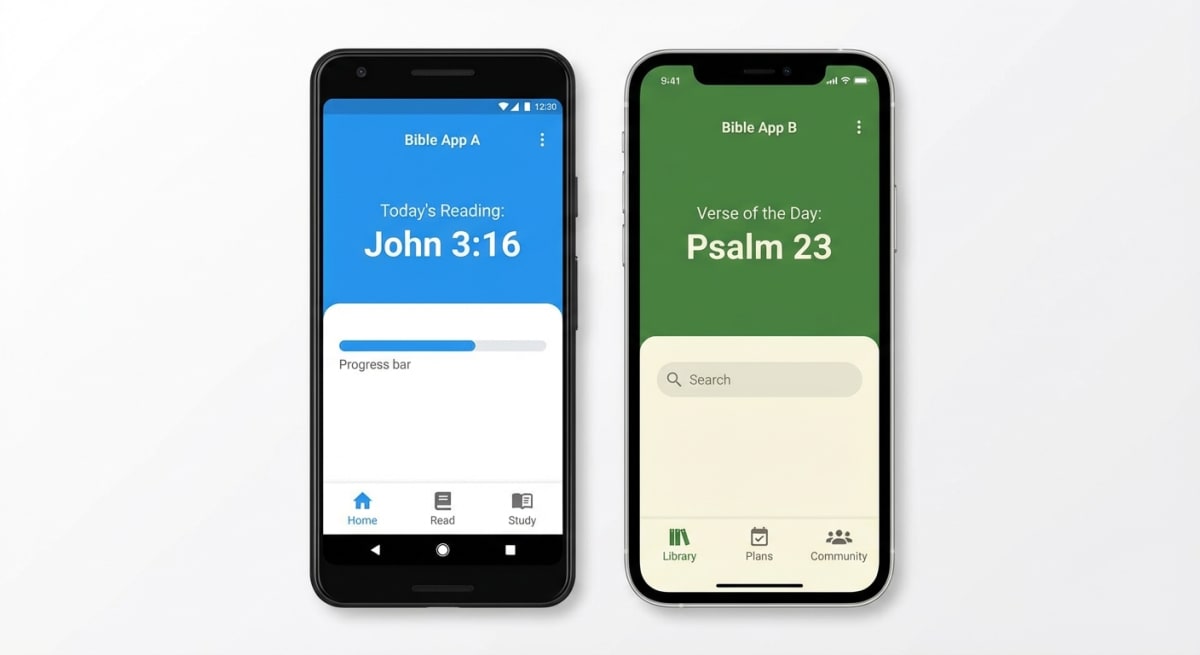
Pick YouVersion if you want social features and tons of reading plans. It's more community-focused and has a simpler feel.
Both apps are free to start. You could even use both! Many readers use YouVersion for daily devotions and Bible Gateway for deeper study sessions.
Pros and Cons
Pros
- ✅ Huge translation library (200+)
- ✅ Deep study tools with Plus
- ✅ Side-by-side Bible viewing
- ✅ Quality audio Bible
- ✅ Fast, reliable search
- ✅ Syncs across devices
Cons
- ❌ Study tools need a paid plan
- ❌ Can feel complex for beginners
- ❌ Fewer plans than some rivals
- ❌ Limited social features
- ❌ Ads in the free version
Who Is Bible Gateway Best For?
This app is ideal for:
- Bible students who want commentaries and dictionaries handy
- Multilingual readers who need many language options
- Translation fans who love comparing versions
- Audio listeners who hear Scripture on the go
- Pastors and teachers prepping lessons and sermons
- Small group leaders who want context for discussions
Want Something Simpler?
Bible Gateway has a lot going on. That's great for study. But it can overwhelm new readers.
If you just want to start reading, BibleMate keeps things simple. It's a free 365-day plan with auto progress tracking. No account needed. No clutter.
Build your daily habit first. Then add study tools when you're ready. There's no rush — it's your journey. The best Bible app is the one you'll actually use every day.
Many readers find that starting simple helps them stay consistent. Once reading becomes a habit, they naturally want to go deeper. That's the perfect time to explore tools like Bible Gateway's commentaries and dictionaries.
Frequently Asked Questions
Is the Bible Gateway app free?
Yes! The basic app is free. You get all 200+ translations, search, and reading plans. Study tools and ad-free access need a Plus subscription.
Can I use Bible Gateway offline?
Yes. You can download translations for offline reading. This works on both free and Plus versions.
What translations does Bible Gateway offer?
Over 200 versions in 70+ languages. All major English ones are included: NIV, ESV, KJV, NLT, NASB, and CSB.
Is Bible Gateway Plus worth the cost?
It depends on how you read. If you use commentaries and dictionaries often, yes. The yearly plan ($89.99) gives you access to tools worth far more as books. Casual readers do fine with the free version.
Does Bible Gateway have audio?
Yes. Bible Gateway audio covers many translations. Free users hear some ads. Plus users get ad-free listening with speed controls.
Can I sync reading across my devices?
Yes. Sign up for a free account. Then sign in on each device. Your progress, notes, and highlights sync on their own.
We hope this biblegateway app review helped you decide if it's right for you. It's a powerful tool — especially for those who love to study.
Ready to start reading the Bible every day? Try our free reading plan and begin your journey through Scripture, one day at a time.
Related on BibleMate
Keep exploring related topics, plans, and lists.
Get the BibleMate App
Take your Bible reading anywhere. Track progress, build streaks, and stay on plan — all from your phone.
Ready to start your Bible reading journey?
Read the entire Bible in one year with daily guidance.