YouVersion Bible App Review 2026: Features & How to Use
TL;DR
Complete guide to the YouVersion Bible app. Learn about reading plans, audio features, highlights, offline access, and tips to get the most out of it.
YouVersion Bible App: Everything You Need to Know (2026 Guide)
If you've ever searched for a way to read the Bible on your phone, chances are you've come across the YouVersion Bible app. With over 700 million installs worldwide, it's the most popular Bible app available — and for good reason. Whether you're just starting your faith journey or you've been reading Scripture for years, YouVersion makes it easy (and even enjoyable) to engage with God's Word every day.
Let's walk through everything this app offers and how you can make the most of it.

What Is the YouVersion Bible App?
YouVersion is a free Bible app by Life.Church that launched in 2008 as one of the first 200 apps on the Apple App Store. Since then, it's grown into a global platform used by over 14 million people daily across nearly every country on earth.
The app is completely free — no subscriptions, no premium tiers, no hidden costs. Everything from reading plans to audio Bibles is available at no charge.
Here's a quick snapshot of what makes it stand out:
- 3,500+ Bible versions in over 2,300 languages
- Thousands of reading plans for every topic and life stage
- Audio Bible for listening on the go
- Offline access so you can read anywhere
- Community features like sharing verses and connecting with friends
- Available on iOS, Android, and the web at bible.com
YouVersion Bible App Key Features
Bible Translations and Languages
One of the biggest strengths of the YouVersion app is its massive library of translations. Whether you prefer the NIV, ESV, KJV, NLT, or something else entirely, you'll find it here. You can even compare multiple translations side by side, which is a wonderful way to deepen your understanding of a passage.
Not sure which translation is right for you? Our Bible translation comparison chart can help you decide.
YouVersion Reading Plans
This is where YouVersion truly shines. The app offers thousands of reading plans covering topics like:
- Reading through the Bible in a year
- Devotionals for anxiety, grief, or gratitude
- Book-specific studies (like a deep dive into Psalms or Romans)
- Topical plans for relationships, parenting, and purpose
- Short 3-day plans and longer 30-day journeys
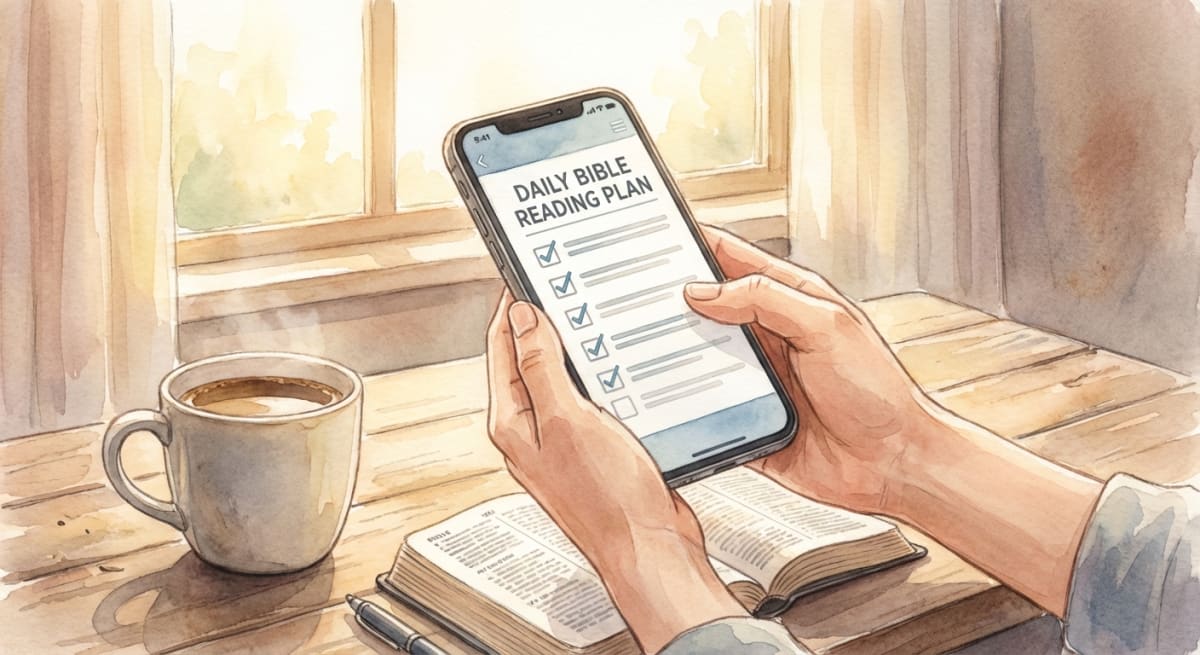
Each plan includes daily readings with optional devotional content. You can subscribe to multiple plans at once and track your progress — the app gently reminds you to stay on track without any guilt or pressure.
If you're looking for a structured approach to reading the whole Bible, check out our guide to choosing a Bible reading plan. You might also enjoy our daily Bible reading schedule for a more traditional approach.
YouVersion Audio Bible
Not everyone has time to sit down and read. That's okay! The YouVersion audio Bible lets you listen to Scripture while commuting, exercising, cooking, or winding down for the night.

Audio is available for many translations, and some versions include dramatized readings that really bring the text to life. You can play individual chapters or let it continue through an entire book.
Highlights, Notes, and Bookmarks
YouVersion makes it easy to interact with what you're reading. You can:
- Highlight verses in different colors
- Add personal notes to any passage
- Bookmark verses to revisit later
- Create verse images to save or share on social media

Think of it like a digital journal for your Bible reading. Over time, you build up a personal collection of insights and favorite passages that you can search through anytime.
YouVersion Offline Access
Heading somewhere without Wi-Fi? No problem. YouVersion lets you download Bible versions for offline reading. This is especially handy for travel, retreats, or simply reducing screen distractions.
Just tap the download icon next to any Bible version, and it's saved to your device. Audio versions can be downloaded too.
Community and Friends
YouVersion isn't just a solo experience. You can:
- Connect with friends and see their highlights
- Share verses and reading plans
- Participate in community Bible reading events
- Send encouraging verse images to people you care about
It's a simple but meaningful way to stay connected in your faith journey alongside others.
YouVersion Verse of the Day
One of the simplest and most beloved features is the Verse of the Day. Each morning, YouVersion serves up a carefully selected Bible verse with a beautiful image background. You can:
- Save it to your camera roll
- Share it on social media or in a text message
- Add it as a home screen widget on both iOS and Android
Many people find this to be a gentle, uplifting way to start their day — even before they open their full reading plan. It's a small moment of encouragement that takes just seconds but can set the tone for your entire morning.
How to Get Started with YouVersion
Getting up and running takes just a few minutes:
- Download the app from the App Store or Google Play
- Create a free account (or sign in with Google, Facebook, or Apple)
- Choose your preferred Bible translation — NIV and ESV are popular starting points
- Browse reading plans and subscribe to one that interests you
- Set a daily reminder to build a consistent habit
- Start reading! Even 5 minutes a day makes a difference
You don't need to create an account to read the Bible, but signing up lets you sync your highlights, notes, and progress across devices.
Best YouVersion Features You Might Be Missing
Even regular users sometimes overlook these gems:
- Verse of the Day widget — Add it to your home screen for a daily dose of encouragement
- Compare translations — Tap a verse and select "Compare" to see it in multiple versions
- Search by topic — Find verses about love, hope, fear, forgiveness, and more
- Streaks — The app tracks your reading streak, which can be a fun motivator (but remember, it's okay to miss a day and start fresh!)
- Dark mode — Easier on the eyes for nighttime reading
- Live Events — Follow along with your church's sermon in real time
YouVersion vs Other Bible Apps
YouVersion is excellent, but it's not the only option. Here's how it compares:
| Feature | YouVersion | Bible Gateway | Blue Letter Bible |
|---|---|---|---|
| Price | Free | Free (ads) / $3.99/mo premium | Free |
| Translations | 3,500+ | 200+ | 30+ |
| Reading Plans | Thousands | Limited | None |
| Audio Bible | ✅ | ✅ (premium) | ✅ |
| Study Tools | Basic | Moderate | Advanced |
| Offline | ✅ | Premium only | ✅ |
YouVersion is best for reading plans, community, and breadth of translations. If you want deeper study tools like commentaries and lexicons, Blue Letter Bible might be a better fit. For a clean web reading experience, check out our best daily devotional apps roundup.
For a full comparison of your options, see our guide to the best Bible apps.
Is YouVersion Safe and Private?
A common question — and a fair one. YouVersion is developed by Life.Church, one of the largest churches in the United States. The app has been around since 2008 and is trusted by hundreds of millions of users.
Your personal data (highlights, notes, reading history) is stored in your account and isn't shared with advertisers. The app doesn't show ads, and there's no monetization of user data. It's genuinely built as a ministry tool, not a commercial product.
That said, like any app with social features, be thoughtful about what you share publicly. Your highlights and verse images can be shared with friends if you choose, but nothing is shared by default.
Tips for Using YouVersion Effectively
Here are some practical ways to get the most from the app:
- Start with a short reading plan. If you're new to Bible reading, try a 3 or 7-day plan first. Build confidence before committing to a year-long journey.
- Use audio when you can't read. Listening counts! Put on the audio Bible during your commute or while doing chores.
- Highlight and take notes. Engaging actively with what you read helps it stick. Write down what speaks to you.
- Don't stress about streaks. Missing a day doesn't mean you've failed. Grace is the whole point. Pick back up whenever you're ready.
- Try different translations. Reading a familiar passage in a new translation can reveal fresh insights.
- Share what you're learning. Send a verse to a friend or post a verse image. Sharing deepens your own understanding.
- Pair it with a simple reading plan. If YouVersion's thousands of options feel overwhelming, our free Bible reading plan offers a straightforward, no-signup way to read through Scripture at your own pace.
Frequently Asked Questions
Is the YouVersion Bible app really free?
Yes, completely free! There are no premium tiers, subscriptions, or in-app purchases. Everything — reading plans, audio, offline access, and all features — is available at no cost. YouVersion is funded by Life.Church donations.
Can I use YouVersion without creating an account?
You can read the Bible without an account. However, creating a free account lets you save highlights, notes, bookmarks, and reading plan progress — and sync them across all your devices.
How many Bible translations does YouVersion have?
YouVersion offers over 3,500 Bible versions in more than 2,300 languages, making it the most comprehensive Bible app available. Major translations like NIV, ESV, KJV, NLT, and NASB are all included.
Can I use YouVersion offline?
Yes! You can download any Bible translation for offline reading. Just tap the download icon next to the version name. Audio versions can also be saved for offline listening.
Does YouVersion have an audio Bible?
Yes, many translations include audio narration. Some versions feature dramatized readings with multiple voices and sound effects. You can listen to individual chapters or entire books.
Can I use YouVersion on my computer?
Yes! YouVersion is available on the web at bible.com. You can access your reading plans, highlights, and notes from any browser. The web version is great for Bible study at your desk or when you want a larger screen.
How do I share a verse from YouVersion?
Tap any verse, then select "Share." You can send it as text, create a beautiful verse image with custom backgrounds, or copy it to share in your own message. Verse images are especially popular for social media and group chats.
What's the best way to start a Bible reading plan on YouVersion?
Tap the "Plans" tab at the bottom of the app, browse by topic or length, and subscribe to one that catches your eye. Start with something short (3-7 days) if you're new. The app will send daily reminders to help you stay consistent.
Reading the Bible is one of the most rewarding habits you can build, and the YouVersion Bible app makes it accessible to everyone. Whether you use it for daily reading plans, listening on the go, or studying with friends, it's a wonderful companion for your faith journey.
If you're looking for a simple, focused way to read through the Bible this year, BibleMate's free reading plan is here to help — no account needed, no ads, just you and God's Word. Start whenever you're ready. 💛
Related on BibleMate
Keep exploring related topics, plans, and lists.
Bible Verses About Love
Discover powerful Bible verses about love — God's love for us, loving others, and the greatest commandment.
All 66 Books of the Bible
Complete list of every book in the Bible in order — Old and New Testament with author, chapters, and genre.
Chronological Bible Reading Plan
Read the Bible in the order events actually happened — perfect for understanding the full narrative arc.
How to Read the Bible Daily: 15 Tips
Practical tips for building a daily Bible reading habit that actually sticks.
Get the BibleMate App
Take your Bible reading anywhere. Track progress, build streaks, and stay on plan — all from your phone.
Ready to start your Bible reading journey?
Read the entire Bible in one year with daily guidance.