Best Bible Apps in 2026 (Free Options Compared)
TL;DR
There's no single best Bible app—the best one is the one you'll actually use. For simple year-long reading, choose BibleMate; for all-around features, YouVersion; for deep study and original languages, Blue Letter Bible; for quick verse lookups and comparing versions, Bible Gateway; and for a polished mobile experience with premium options, Olive Tree.
Best Bible Apps in 2026: Free Options Compared
Looking for the best Bible app to help you grow in your faith this year? You're not alone. With so many options available, finding the right one can feel overwhelming—but we're here to help.
We've tested the most popular free Bible apps to help you find the perfect fit for your reading journey. Whether you want daily reading plans, in-depth study tools, or just a simple way to read Scripture on your phone, there's an app that's right for you.

What Makes a Great Bible App?
Before diving into our comparisons, let's talk about what actually matters when choosing a free Bible app. The best apps share a few key qualities:
Easy to Use
A great Bible app should feel simple from the moment you open it. You shouldn't need a guide to find today's reading or move between books.
Multiple Translations
Everyone has their preferred translation. Look for apps that offer popular versions like NIV, ESV, KJV, and NLT so you can read in the version that speaks to you.
Reading Plans
Structure helps build habits. The best free Bible apps include reading plans that guide you through Scripture step by step. This could be the whole Bible in a year or focused topical studies.
Works Offline
Life doesn't always happen where there's WiFi. Being able to download passages for offline reading is a game-changer.
Distraction-Free
Some apps are packed with so many features that they actually get in the way of reading. Sometimes simpler is better.
Progress Tracking
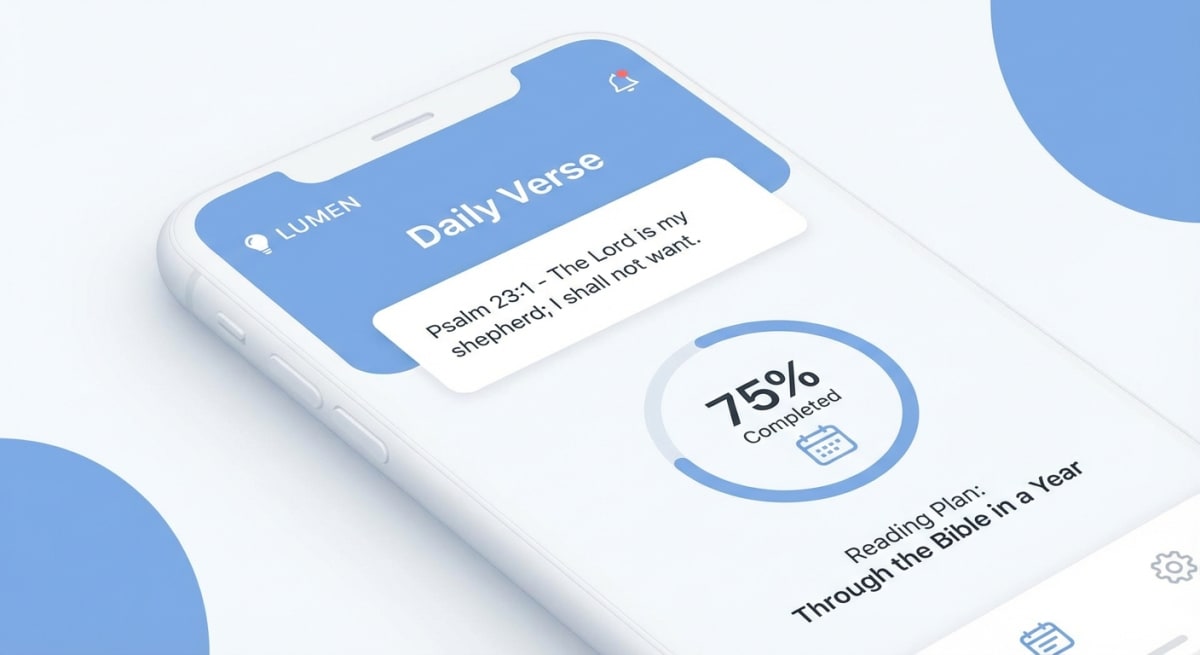
Seeing how far you've come feels great. The best bible reading plan apps show your progress in a clear way. This might be a percent done, a streak count, or a calendar that marks your reading days.
No Pressure
Life happens. The best apps understand that missing a day isn't the end of the world. Look for apps that encourage you rather than guilt-tripping you about broken streaks.
The Top Free Bible Apps Compared
Here's how the most popular options stack up:
| App | Best For | Translations | Reading Plans | Account Required | Ads |
|---|---|---|---|---|---|
| YouVersion | All-around use | 2,000+ | 700+ | Optional | Some |
| BibleMate | Simple reading plans | 5 | 1 (365-day) | No | None |
| Bible Gateway | Quick reference | 70+ | 15+ | Optional | Yes |
| Olive Tree | Study features | 50+ | 100+ | Optional | None |
| Blue Letter Bible | Deep study | 15+ | Limited | No | None |
Let's look at each one in detail.
Best for Reading Plans: BibleMate
If your goal is simply to read the Bible in a year, BibleMate offers the cleanest, most focused experience.
What makes it special:
- No account required—start reading immediately
- Progress saves automatically in your browser
- Clean, distraction-free interface
- 100% free with no ads or premium tiers
- Visual calendar to track your journey
BibleMate is built around one idea: making it easy to read through the entire Bible, one day at a time. Each day includes balanced portions from the Old Testament, New Testament, and Wisdom literature.
If you've tried reading the Bible before and got overwhelmed by complex apps with too many features, BibleMate might be exactly what you need. There's no account to create, no notifications to configure, no social features to navigate. Just open it and read.
Perfect for: Anyone who wants a structured Bible reading plan without the complexity. Great for beginners or anyone starting fresh.
One thing we love about BibleMate: there's no guilt when you miss a day. The app never pings you about "breaking your streak." It doesn't make you feel bad when life gets busy. It just picks up where you left off—or lets you start fresh when you're ready. This kind approach makes a real difference over time.
Best All-Around App: YouVersion
YouVersion (the "Bible App") is the most downloaded Bible app in the world, and for good reason. It's packed with features while still being relatively easy to use.
Strengths:
- Over 2,000 translations in 1,600+ languages
- 700+ reading plans for every interest
- Audio versions for listening on the go
- Verse of the day notifications
- Community features like verse sharing
Considerations:
- Account recommended for saving progress across devices
- Some features feel overwhelming at first
- Occasional prompts for premium content
YouVersion is ideal if you want one app that does it all. The reading plan library is the best around. You'll find topical studies, devotionals, and Bible-in-a-year plans. The audio feature is great for commutes or when you're doing other tasks.
Perfect for: Users who want lots of options and don't mind creating an account.

Best for Bible Study: Blue Letter Bible
If you're ready to go deeper than surface-level reading, Blue Letter Bible is a powerful (and free) study companion.
Strengths:
- Interlinear Bible with original Greek and Hebrew
- Full commentaries from trusted scholars
- Word study tools and concordance
- No account required
- Completely free, no premium tier
Considerations:
- Interface can feel dated
- Learning curve for advanced features
- Mobile app less polished than desktop
Blue Letter Bible shines when you want to grasp the original meaning of words. You can explore cross-references or read what scholars have said about a passage. It's the kind of tool seminary students use—but anyone can use it.
Perfect for: Serious students who want to dig into the original languages and scholarly resources.
Best for Quick Reference: Bible Gateway
Bible Gateway started as a website and remains one of the best places to quickly look up a verse or passage.
Strengths:
- Lightning-fast search
- 70+ translations side-by-side
- Audio Bibles available
- Parallel passage view
- Clean reading experience
Considerations:
- Ads on free version
- Reading plans are basic
- Premium subscription for advanced features
Need to look up verses often or compare how different versions phrase a passage? Bible Gateway is hard to beat. The search works great. Viewing multiple versions side-by-side is really helpful.
Perfect for: Quick lookups and comparing translations.
Best for Premium Features (Free): Olive Tree
Olive Tree offers a surprisingly robust free version with room to grow if you want premium resources later.
Strengths:
- Clean, modern interface
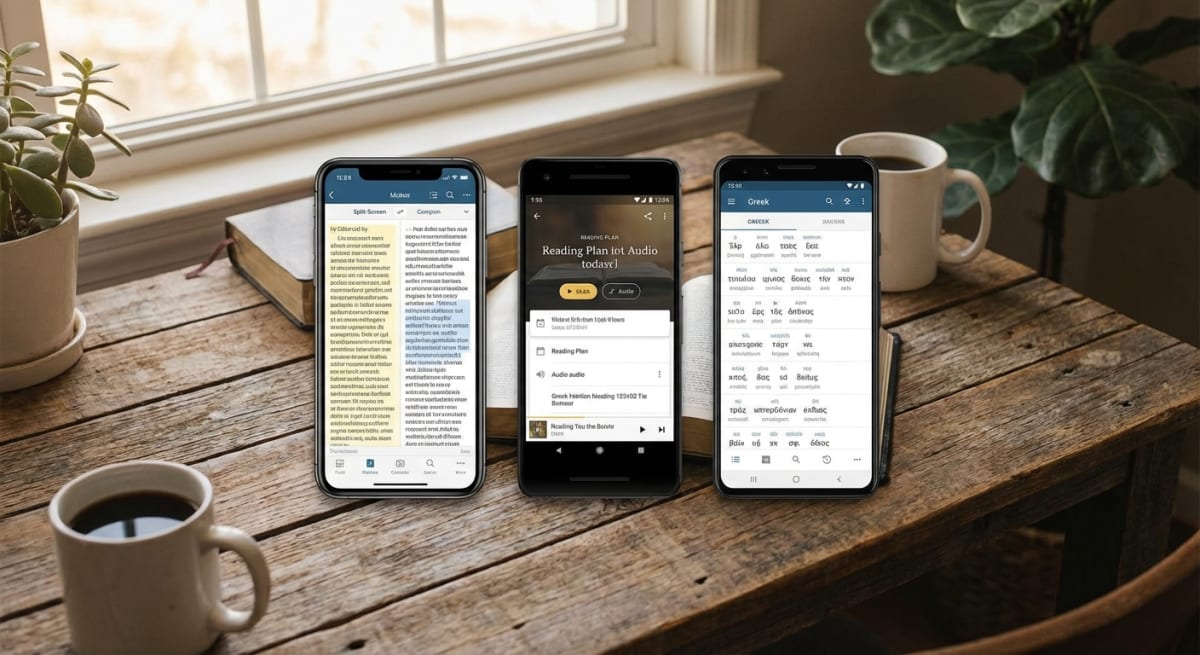
- Split-screen for notes and reading
- Sync across all devices
- Good selection of free resources
- Strong highlighting and notes features
Considerations:
- Many resources cost extra
- Account required for sync
- Some advanced features hidden
Olive Tree finds a sweet spot between simple and strong. The free version includes several Bible versions and basic study tools. You can buy extra content and resources one at a time.
Perfect for: Users who might want to invest in premium study resources down the road.
How to Build a Consistent Bible Reading Habit
Having the right app is just the first step. The real challenge is actually opening it every day. Here are some practical tips that help:
Link it to a daily habit. Read your Bible right after your morning coffee, during lunch, or before bed. Pairing it with something you already do makes it easier to stick.
Keep your phone somewhere visible. If you read on your phone, leave it open to your Bible app at night so it's the first thing you see in the morning.
Start small. Many reading plans feel overwhelming at first. It's okay to start with just one chapter a day—or even a few verses—and build from there.
Give yourself grace. You will miss days. Everyone does. The key is not letting one missed day turn into a missed week. Just pick up where you left off or start fresh.
Tell someone. Having a support partner can boost your drive to stay on track. Even just telling a friend that you're reading through the Bible helps.
Best Bible App for Beginners
If you're new to reading the Bible, apps with hundreds of features might feel scary. Here's what we suggest:
Start with BibleMate or YouVersion's "Bible in a Year" plan.
Both options give you structure without feeling like too much. The key is finding what helps you actually read—not just install an app and forget about it.
A few tips for getting started:
- Choose one app and stick with it. App-hopping leads to losing progress.
- Start with a reading plan. Random reading often fizzles out. Not sure where to start reading the Bible? A structured plan takes the guesswork out.
- Set a consistent time. Morning devotionals work for many people—check out our guide to daily devotional apps if that interests you.
- It's okay to miss days. Grace is the point. Start fresh whenever you need to.
- Learn how to read effectively. Check out our guide on how to read the Bible for practical tips on getting more from your reading time.
Which Bible App Should You Choose?
Here's our quick guide:
Choose BibleMate if:
- You want to read the Bible in a year
- You prefer simplicity over features
- You don't want to create an account
- You like having no ads or distractions
Choose YouVersion if:
- You want tons of reading plan options
- You like audio Bibles
- You want social sharing features
- You don't mind creating an account
Choose Blue Letter Bible if:
- You want deep study tools
- You're interested in original languages
- You want free access to commentaries
Choose Bible Gateway if:
- You frequently look up verses
- You want to compare translations
- You need quick reference access
Choose Olive Tree if:
- You want a polished mobile experience
- You might buy premium resources later
- You like robust note-taking features
Start Your Bible Reading Journey
The best Bible app is the one you'll actually use. Features don't matter if the app sits unopened on your phone.
If you've been meaning to read the Bible but haven't found the right tool, why not start today? BibleMate's free reading plan makes it easy to begin—no account needed, no complicated setup. Just open it and start reading.
One chapter at a time. One day at a time. You can do this.
Frequently Asked Questions
What is the best free Bible app with no ads?
BibleMate is completely free with no ads, no account required, and no premium tier. Blue Letter Bible is also ad-free. YouVersion has some ads but offers an excellent free experience overall.
Can I read the Bible offline on these apps?
Yes, most Bible apps allow you to download translations for offline reading. YouVersion, Olive Tree, and Blue Letter Bible all offer offline access. BibleMate works offline once the page has loaded in your browser.
Which Bible app has the most translations?
YouVersion leads with over 2,000 translations in 1,600+ languages. Bible Gateway offers 70+ translations, and Olive Tree has around 50+. BibleMate focuses on 5 popular English translations (ESV, NIV, KJV, NLT, NASB).
Do I need to create an account to use Bible apps?
Not always. BibleMate and Blue Letter Bible don't require accounts. YouVersion, Bible Gateway, and Olive Tree offer optional accounts for syncing progress across devices—but you can use their basic features without signing up.
What's the best Bible app for reading the Bible in a year?
BibleMate is specifically designed for year-long Bible reading, with a clean 365-day plan and visual progress tracking. YouVersion also offers several "Bible in a Year" plans with different approaches (chronological, canonical, etc.).
Are there Bible apps specifically for studying?
Blue Letter Bible is the best free option for in-depth study, offering interlinear texts, commentaries, and word study tools. Olive Tree and Logos also excel at study features, though Logos' best resources require payment.
How long does it take to read the Bible using an app?
Using a 365-day reading plan, you can read the entire Bible in one year by reading approximately 15-20 minutes per day. Some apps offer faster plans (90 days) or slower plans (2 years) depending on your pace preference.
Which Bible app is best for listening instead of reading?
YouVersion offers excellent audio Bible features with multiple narration options. Bible Gateway also has audio capabilities. If you prefer listening, look for apps that let you download audio for offline playback so you can listen during commutes or workouts.
Can I use multiple Bible apps at the same time?
Absolutely! Many people use one app for daily reading (like BibleMate or YouVersion) and another for deeper study (like Blue Letter Bible). Just be careful not to split your progress across too many apps—pick one primary app for your reading plan.
Related on BibleMate
Keep exploring related topics, plans, and lists.
Get the BibleMate App
Take your Bible reading anywhere. Track progress, build streaks, and stay on plan — all from your phone.
Ready to start your Bible reading journey?
Read the entire Bible in one year with daily guidance.